Tag: <span>tool review</span>

Tag: tool review

The dangers of cartography: I made a map and now I have to plan a trip to get a Braxxie lantern

Behold the Cryptid Art map!

The inspiration for my Cryptid Art map was growing up hearing tales of the Mothman and the Braxton County Monster (also called the Flatwoods Monster or Braxxie to her friends). The Mothman has risen in fame in the last decade, and yet most people I talk to who know the Mothman is from Point Pleasant, West Virginia, only know that as a general factoid or from the video game Fallout 76. Most have no idea the Mothman has any connection to the 1967 Silver Bridge collapse, which is a shame.

It may seem strange to connect a massive infrastructural disaster that ended in the deaths of 46 people and the creation of the National Bridge Inspection Standards to the celebration of a cryptid. But the lore of both is deeply intertwined. The Mothman was seen perched on the Silver Bridge the day before it collapsed, and so has taken on the status of an omen or, more charitably, the idea that he was “trying to warn us.” The tragedy was also caused by systemic infrastructure failure, a reason not to trust what the government tells you, a common theme in West Virginia stories. The danger of trusting the faceless people in power is echoed in the phrase that I heard most during the Mothman Festival hayrides and have a pin repeating: “Don’t fear the Mothman. Fear the Men in Black.” The Mothman behaved like an animal, and so could hurt someone, but never with malice. The Men in Black who came after from the government were the ones who threatened people. Admittedly, it’s a paranoid viewpoint. But given West Virginia’s history, from the Mine Wars to vote buying, and most recently the opioid crisis, I don’t think it’s a misplaced view.

I used Google My Maps1 for the Cryptid Art map, but I also explored Knight Lab’s StoryMapJS.2 I chose My Maps because it focuses it’s display on place, while StoryMapJS prioritizes content. Many of the artworks and related sites have very little information available, so a small description and image work well. For pins with more information available, it is nice to be able to focus on the most unusual or helpful source, like using the Braxxie lantern documentary for the Exxon station where they are sold. StoryMapJS is better for focusing on the object first and the location second, particularly in how it pulls up a large secondary window for the embedded material for each pin. When I was thinking of projects that might work with it, I was thinking of comparatively looking at falconry gloves within different archives and museum collections: where they were found, where they were made, where they were used, and where the material was sourced. This is also reflected in how StoryMapJS uses fixed icons that are tied to the type of material embedded and also the ability to control the order that pins are navigated through.

I think there is some baked-in skepticism of the accuracy and completeness of maps that maybe isn’t there for museum exhibitions, and that skepticism is valuable to engage with. Because we’ve probably all had a GPS app try to take us down a closed road or otherwise lead us astray, it’s all the more illuminating to notice how much maps can be used to both enforce and question authority. Béatrice Joyeux-Prunel in her chapter for The Routledge Companion to Digital Humanities and Art History, uses the example of how nationalists (including the Nazis) use “artistic geovisualization” to claim spaces, heritages, and artworks as their own and to justify their crimes.3 Joyeux-Prunel continues by explaining how art history is returning to cartography via digital mapping because it allows new questions to emerge “that had been buried for a long time, either because they could be embarrassing (such as the place of origin of a style, too often understood as a ‘center of influence’), or the geopolitics of art, or because they could not be given satisfactory answers[.]”4

An excellent example of case studies that ask all three of those types of questions and investigate them with “Historical Geographic Information Systems (GIS) methods” is Paul B. Jaskot and Anne Kelly Knowles’ “An Approach to Institutional History and the Built Environment in Nazi Germany.”5 In my opinion, the case studies have the added benefit of dejustifying Nazi crimes by picking them apart and not allowing them to hide in historical assumption. Mapping the SS camp system and the architecture of the SS camp at Auschwitz-Birkenau, Knowles and Jaskot used different sources of information and visualization approaches. What they had in common was how GIS was able to shed new insight even in a field as highly studied as the SS camps and raise new questions because it was able to connect information to a spatial context.6

Building my own map, I was surprised by how difficult many of the decisions I needed to make were and how they immediately made me realize I was creating from a position of authority whether I wanted that or not. One of my earliest decisions was whether to pin the Silver Bridge Wall mural. The Mothman and Silver Bridge stories are connected, but they are not the same. Still, the Mothman stripped of the Silver Bridge is stripped of an important part of its history in Point Pleasant. So I included the mural, with a simple description focused on the purpose of the map: “The Mothman was seen on top of the Silver Bridge the day before it collapsed, leading some to believe he is an omen of doom or was trying to warn the town of the approaching tragedy.”

I plan to continue to work on my Cryptid Art map with the mission that there should be art of cryptids in their hometowns (as long as those communities want it). So in the future I plan to add cryptid origin points even where there isn’t art yet. I may also add local artists who make cryptid art. Lately, instead of worrying whether something fits a set of rules or parameters, I’ve been asking whether it’s kinder to include it than to leave it off. Being messier but kinder in action is perhaps how we keep tools with an inherent authority, like cartography, from having so much power to warp or control. The future of transparency in digital tools may be to strip back the veneer of clean data and UIs without losing the purpose of the tool, embracing messiness and a degree of friction so that questions naturally arise about where the information comes from and who decided its presentation.


  1. “My Maps,” accessed October 5, 2026, https://www.google.com/maps/about/mymaps/.↩︎

  2. “StoryMapJS,” StoryMapJS, accessed October 5, 2026, https://storymap.knightlab.com.↩︎

  3. Béatrice Joyeux-Prunel, “Digital Humanities for a Spatial, Global, and Social History of Art,” in The Routledge Companion to Digital Humanities and Art History, ed. Kathryn Brown, Routledge Art History and Visual Studies Companions (Taylor & Francis Ltd, 2022), 88–89.↩︎

  4. Joyeux-Prunel, “Digital Humanities for a Spatial, Global, and Social History of Art,” 89.↩︎

  5. “An Approach to Institutional History and the Built Environment in Nazi Germany,” accessed October 5, 2026, https://www.getty.edu/news/dah_jaskot_knowles/.↩︎

  6. “An Approach to Institutional History and the Built Environment in Nazi Germany.”↩︎

What are we building towards?

For a recent class assignment to make a Collection Builder exhibit, I created an exhibition of the first 10 boss fights from the mainline Legend of Zelda video games, specifically the final blow in each boss fight (https://beeyop.github.io/zelda-death-blow/). What weapon has to be used? Who’s involved in the fight? What part of the timeline, via the Hyrule Historia, does it come from? This was an expansion of a previous project where I looked at repeat objects in the Legend of Zelda series (https://sydbauer.wixsite.com/scaling-stories/zelda ).

I immediately ran into some issues. I couldn’t get the YouTube links to show properly if I wanted to start them at a specific time. I also struggled for a while trying to figure out why a thumbnail wasn’t showing, only to discover that it was an errant capitalization. Frustrations aside, Collection Builder did a really nice job of creating a professional-looking digital exhibition space. For that, I think it fulfills a valuable niche.

I only had one major criticism of the Collection Builder exhibits we examined in class: all the websites felt the same. By the second collection I looked at, that sameness made me gloss over and lose interest in the content. The visual layout was pretty much identical, even with different themes and some custom CSS. I think this is indicative of a larger issue. I believe many cultural institutions view tasks like metadata curation as mechanical, logical chores. In reality, it is a fusion of artistic skills and data skills. If the visuals and experience don’t feel curated to the data, then it is a cute toy, not scholarship or a tool. Some of the exhibits we examined did have a cohesive feel and told a clear story, but I don’t know that they did more than a well-annotated photo gallery.

I think Collection Builder is a gift for smaller museums, organizations, and student projects as a tool for displaying work when you’ve got one, maybe two people working and there isn’t room to expand. In some environments, finding someone with the education and experience in both curatorial work and digital tools would be very hard. Hiring online is an option, but then you run into control issues and management duties. In a single-person or very small team space, hiring out isn’t saving any time or workload the way I think Collection Builder does. I think the well-written and well-organized guide does most of the work of making it a better alternative for that use case. Anytime I wanted to know how to do something with my collection, the guide had an easy-to-understand, easy-to-find, simple process. I have some background in using GitHub and VS Code, but I heard from other people in the class that they also appreciated how well thought out the guide is.

What concerns me is that every time I see a tool like Collection Builder that makes what seems to be a mechanical task, like cataloging, display, or access, easier, I see organizations pushing people to do more with less instead of hiring someone to do these things or paying people appropriately for an increased scope of their job. Budget issues often become the scapegoat, but that is no excuse. Most individuals’ budgets are equally, if not more, stressed than those of any organization they work for. That’s not Collection Builder’s fault by any means, but it is something to note, especially as we decide when to use what tools and what projects to pursue.

In Paige Morgan’s blog post “How to Get Your Digital Humanities Project Off the Ground,”1 Morgan heavily cautions against making a digital humanities project part of your dissertation. The current status of digital humanities projects in academia is reflected in Morgan’s own experience creating projects while working on a separate dissertation. Morgan notes there were times when the dissertation had to take precedence and the projects suffered. That shouldn’t have to be the case, but from what I have experienced and witnessed, not much has changed between when Morgan wrote the blog post in 2014 and today.

While the cautioning is absolutely valid, and a realistic way of looking at the field and the way academia treats digital humanities projects, I think this advice exacerbates the problem. It’s going to take some people who are willing to push back and say, “No, this is a valid form of scholarship,” to really upend the idea that the only valid way to present mastery over information or share scholarship is the often recursive ouroboros of academic paper and book publishing.

With the rapid pace at which people are expected to graduate, to write, to do, we’ve lost a lot of the time to reflect and a lot of the purpose of academic scholarship. Academia must slow the speed and return to a contemplative pace or start accommodating other modes of scholarship as equally valuable and equally valid (preferably both).


  1. Paige Morgan, How to Get a Digital Humanities Project Off the Ground, June 5, 2014, https://www.paigemorgan.net/how-to-get-a-digital-humanities-project-off-the-ground/.↩︎

Take a seat. Please.

This week I explored the digital art history tool imgs.ai and got some interesting results. imgs.ai provides “a Web-based interface, and machine-learning-based backend that allows the end user to both descriptively and visually search arbitrary image dataset.”1 More simply put, it allows a human to guide an application using computer vision to find images in selected museum databases that are the most similar to an uploaded image, text prompt, or both. The idea being that the user will then continue to engage with more images by selecting from the suggested images that are “positive” or “negative,” furthering the search with this new information.2

The ability to mark negative results is where I hit my first issue: it wasn’t an option for me. This is likely because I was using the site without a login (getting one takes days for approval). While I understand the necessity of gatekeeping databases in the age of AI scraping and how intentionally using AI is fundamentally different from random bots shutting down your site, the irony of the website being protected being built on AI scraping images was palpable. How many of the models imgs.ai uses were built using the same tactics the required login was keeping out? Even if copyright was the driving force instead of defense against bots, how many artworks outside of these museum collections had their copyright violated to train the models to “see”? I am not anti-AI, but I think they are questions worth asking. A team that calls out “Transparency” as one of five “essential criteria”3 should say more about the black box components at work beyond naming the databases or models used.4 Minimally, it should give an explanation of why options are locked behind sign-up instead of forcing the user to guess.

I also wouldn’t be as harsh in my critique if imgs.ai as a tool had provided me an experience that felt more like what the article outlined. To show where imgs.ai gave me interesting results and where it fell short, let me walk you through my experimental searches.

I started with the image from Vermis I: Lost Dungeons and Forbidden Woods I digitized in my last post.5

A pixelated image of a skeleton kneeling and being hugged by a kneeling armored person.
[Scanned image from Vermis I]. plastiboo, Vermis I: Lost Dungeons and Forbidden Woods, 11th printing, 2026. Used here for educational and commentary purposes; no copyright infringement intended. All rights remain with the original owner.

I knew this wouldn’t necessarily be an easy image with its dithered graphics, but I thought it was fair to work with an image I am actively using in my art history study. While imgs.ai can only show results from the databases it has access to, unlike some other digital art history projects, it does not limit itself to a specific time period or type of art. So I didn’t expect it to return other video game related results necessarily, but I did expect it to be able to get an accurate read on the image’s general contents since testing it with an AI alt text tool had produced flawed but not totally off-base results.

imgs.ai has four feature extractors to choose from for each search, each with a different focus: “stylistic similarity,” pose, “raw color data,” and CLIP which allows combining an image with a text prompt.6

Results were mostly okay if not super useful until I switched to the pose extractor.

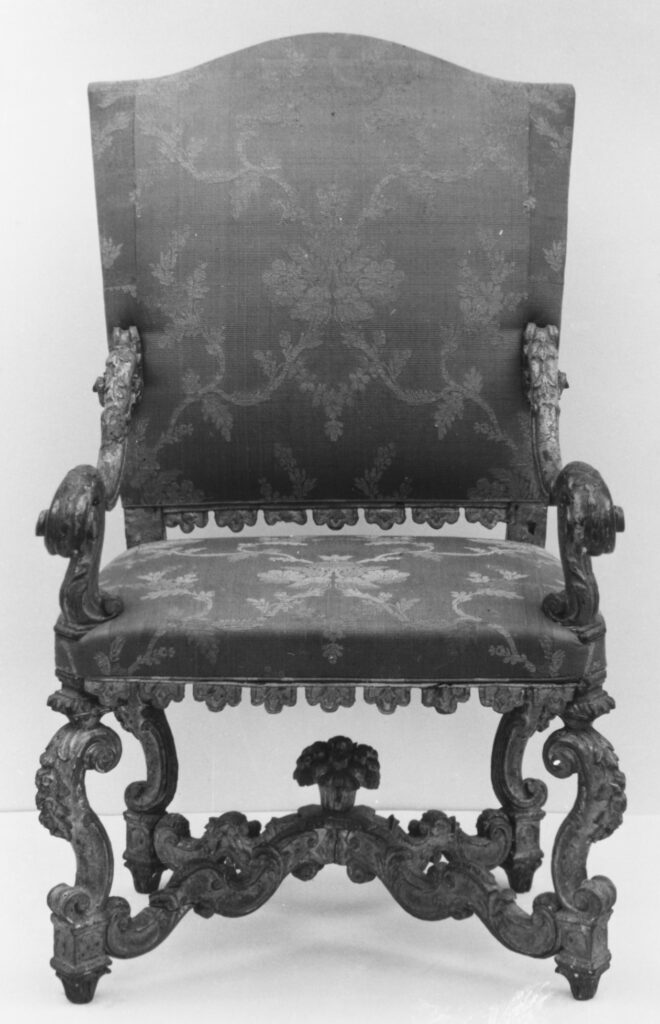
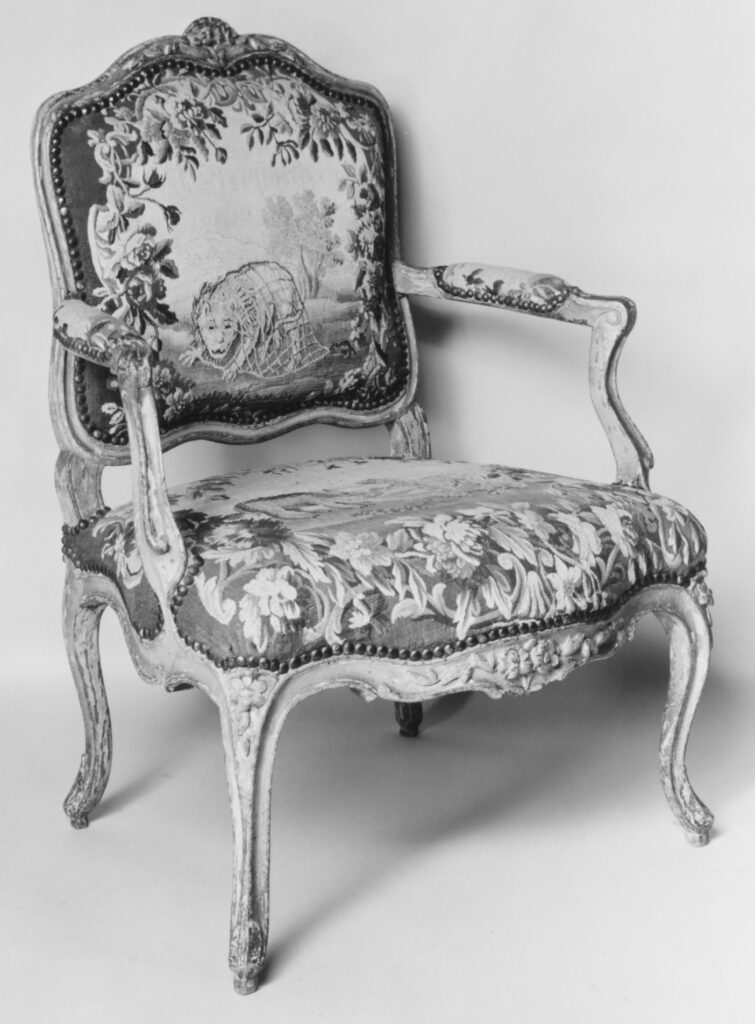
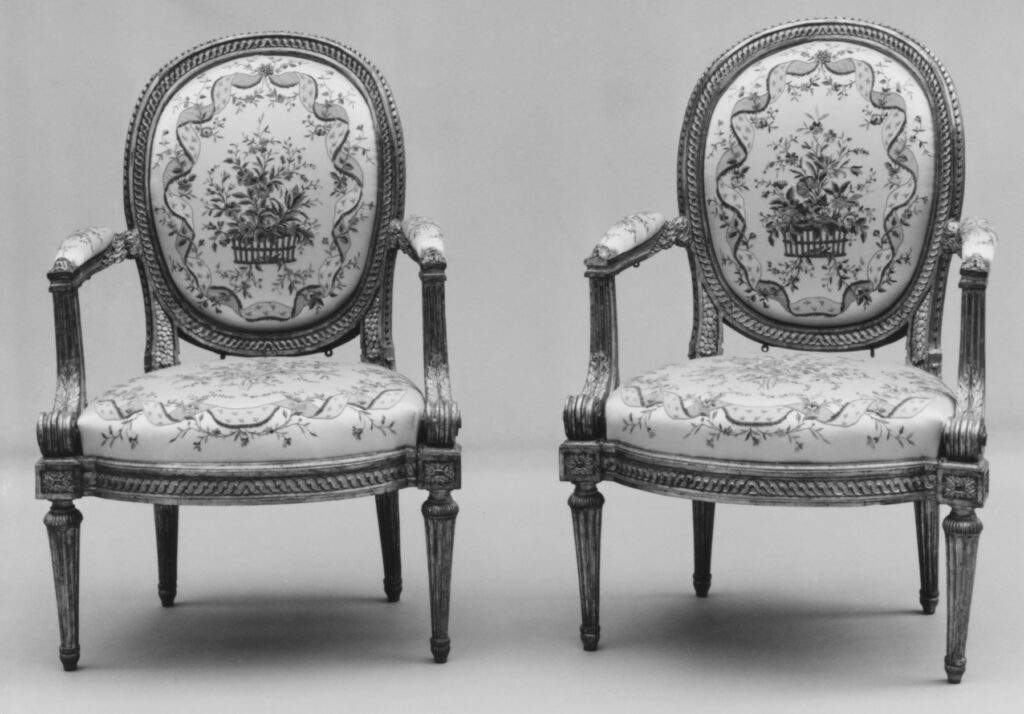
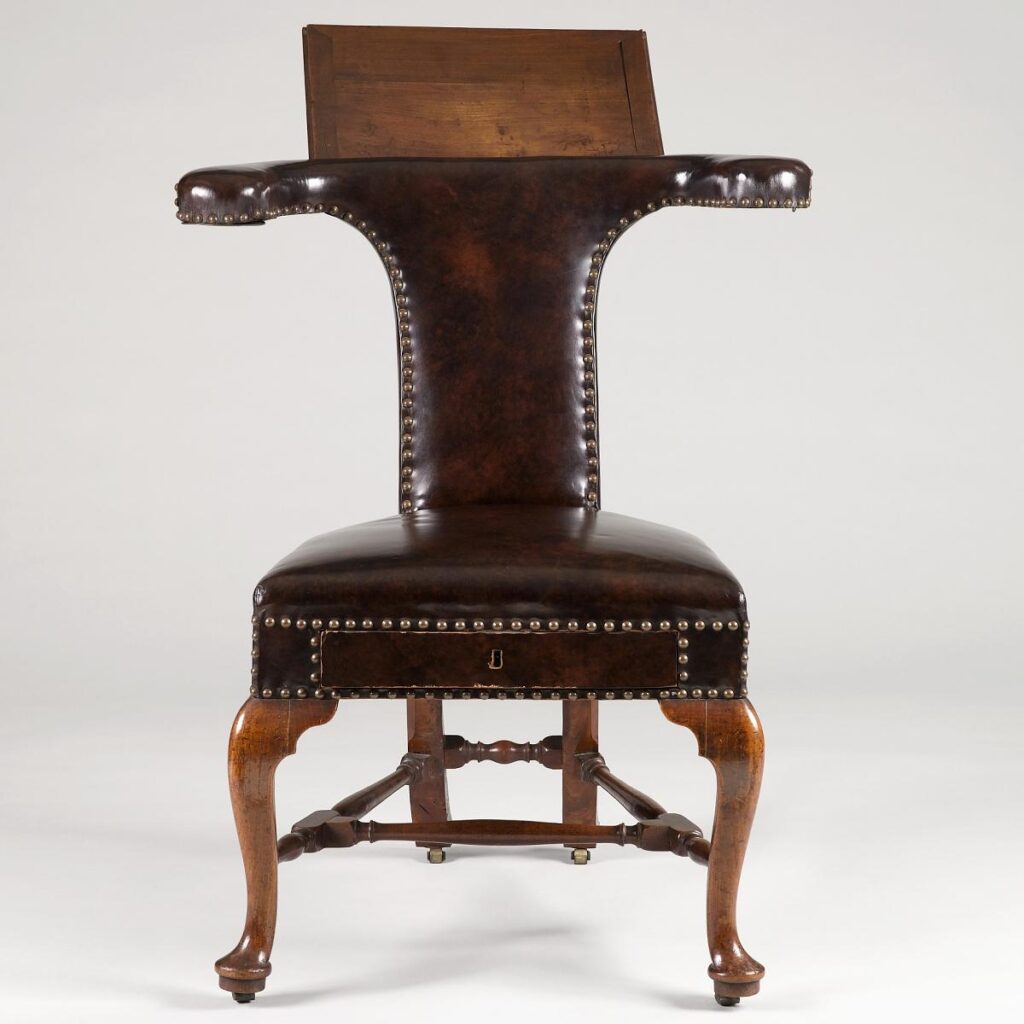
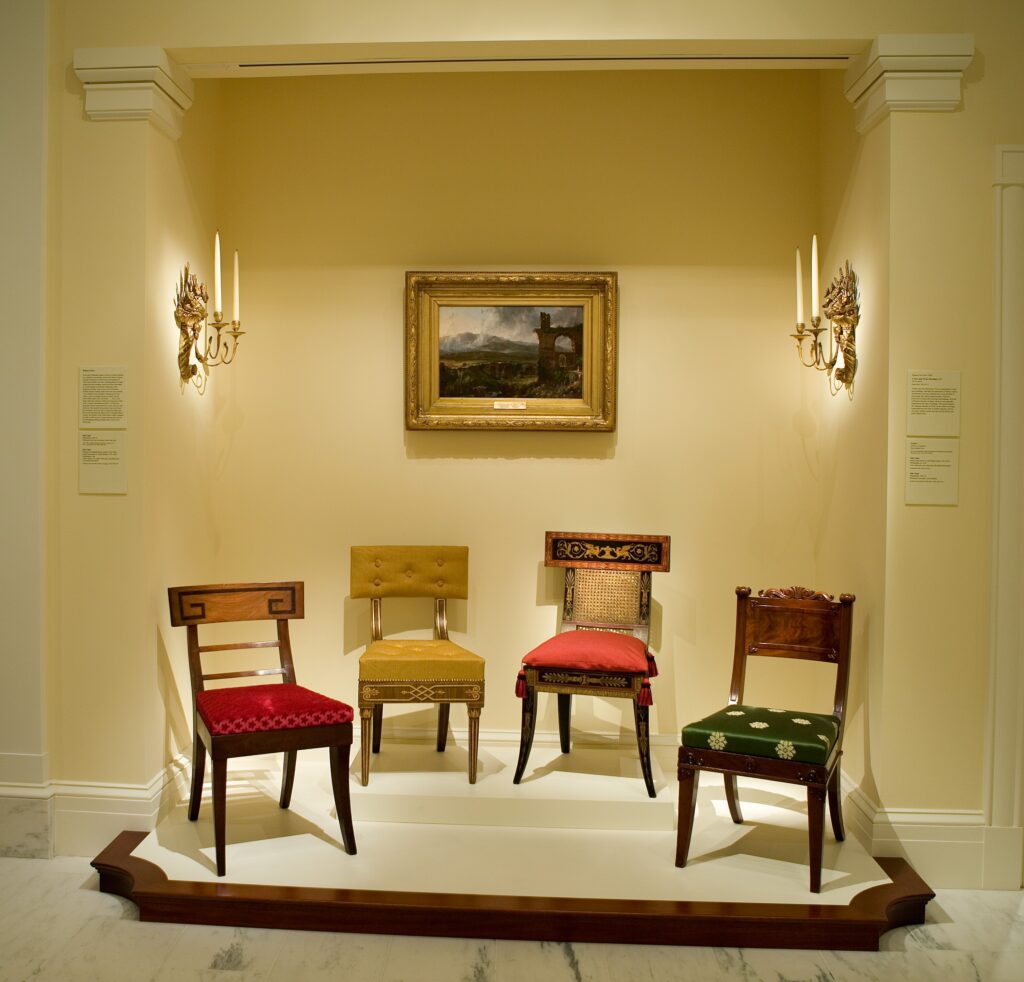
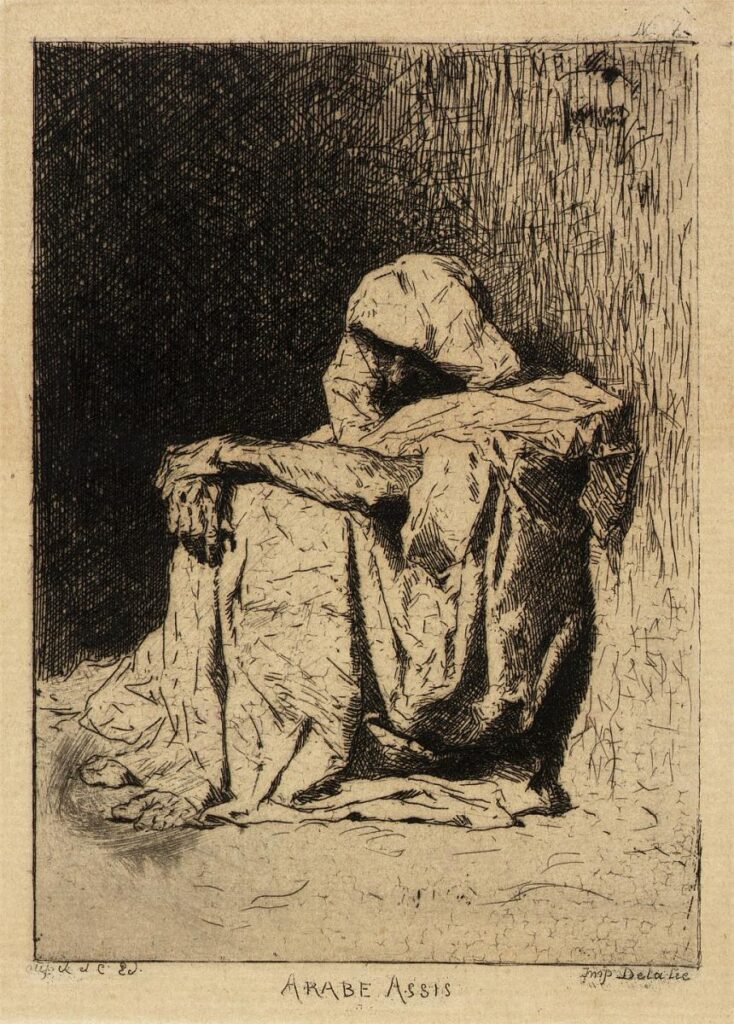
Well that’s a choice. There weren’t only but a variety of objects that had no relation to the pose regardless of the database used. The chairs would take on an added strangeness with my next search though.

I decided to try another image. One I took directly from the Smithsonian collection.

a pixelated title screen for a video game
Ed Fries. Halo 2600. 2010. Video game for Atari VCS, color, sound. Smithsonian American Art Museum. © 2010, Ed Fries. Reproduced for critical commentary on imgs.ai, the tool through which this image was retrieved; not licensed by the artist or SAAM.

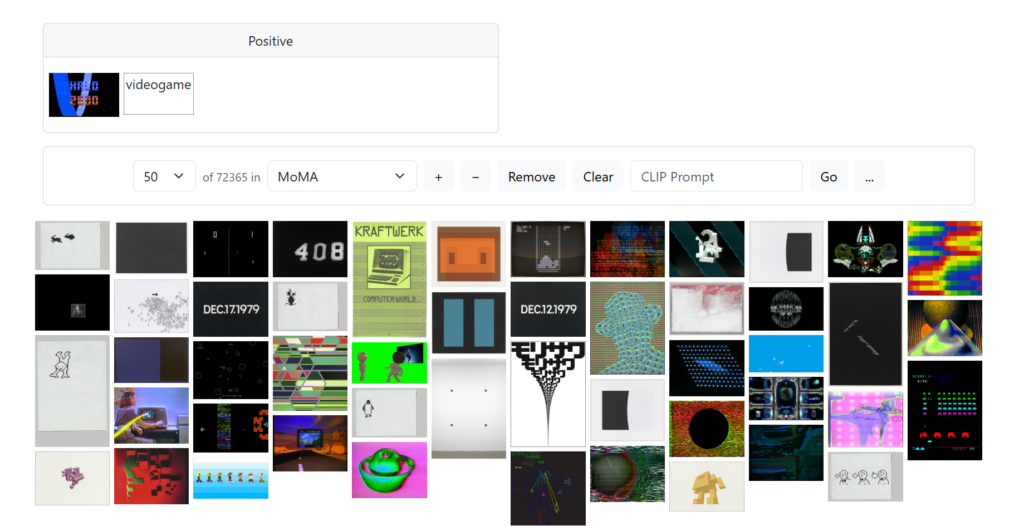
The results were better but still not great. I only got results that were clearly connected to the search image but still novel enough to be useful when I added “videogame” to my CLIP search.

Screenshot of imgs.ai search results for "videogame" and Halo 2600 image in the MoMA collection, showing a grid of abstract and pixel-art thumbnails.
Screenshot of imgs.ai search results for the positive query “videogame” (image: Atari 2600 Video Chess box/screen) within the MoMA collection subset, showing 50 of 72,365 results. Author’s screenshot, 9 Sept. 2026.

All was well until I tried the pose feature extractor again.

an elaborate armchair, one of a pair
Pair of Armchairs. Late 17th–early 18th century. Carved and gilded walnut, with crimson and gold silk cannelé fabric (not original), Italian. The Metropolitan Museum of Art. Public domain.
an armchair with an unidentifiable beast depicted on the back cushion
Manufacture Royale, Aubusson (tapestry weaver). Armchair (part of a set of nine). Mid-18th century. Carved and painted walnut; Aubusson tapestry upholstery, French. The Metropolitan Museum of Art. Public domain.

Oh no.

Ohhhh nooooooooo.

I wracked my brain for the cause of this seating-based poltergeist haunting my results. Was it a similarity of a curve in the chair to the curve in the image? Then why were some of the EXACT SAME CHAIRS in the results from both starting images? Other more obvious connection images were not shared between results.

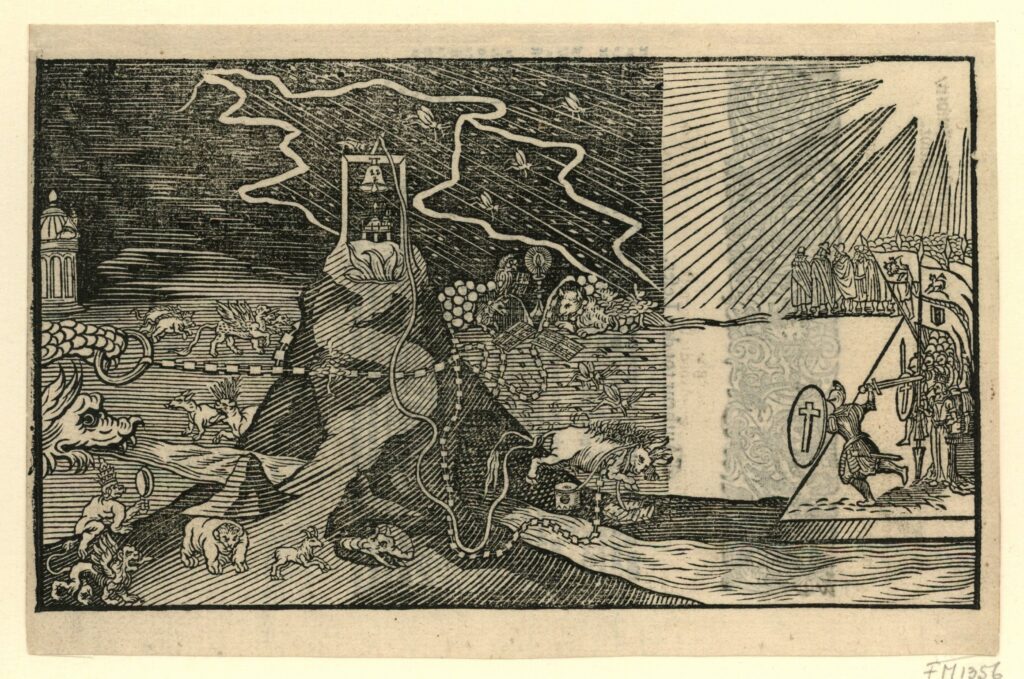
Away from the chairs, most results made sense as to why they were selected. They just didn’t provide anything useful beyond confirmation that yes, it has that color or a frame or someone in armor. Some images I found really intriguing, and they made me think of my image in a different way. It was most successful again when CLIP added texted to the search, in this case, “Skeleton.”

That was when I realized something important. While the point of imgs.ai is not to have an autonomous AI match images, but rather to include the human user in the research loop actively,7 I was doing the heavy lifting for the AI instead of with it. I was taking an image that seemed random to me and taking on the task of finding the connections and assigning meaning. In some ways, this is great. The human should be the one doing those tasks. But I was also struck that I could have done the same cognitive work and gotten the same benefit if the AI had served me completely random images from the collection and told me they were related to my image.

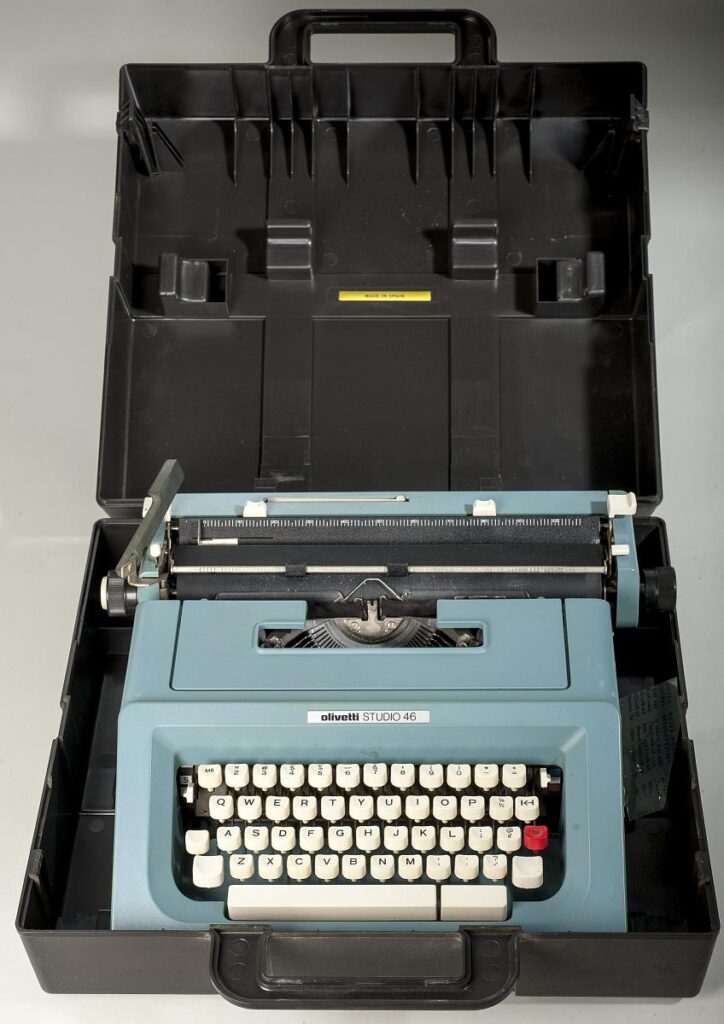
Two more images gave me additional insight into a major issue. Olivia Butler’s typewriter which appeared for both images…

a blue typewriter sits in a black open case
Olivetti Studio 46 Typewriter Used by Octavia Butler. Between 1974 and 1979. Plastic, metal. Anacostia Community Museum, Smithsonian Institution. CC0, public domain.

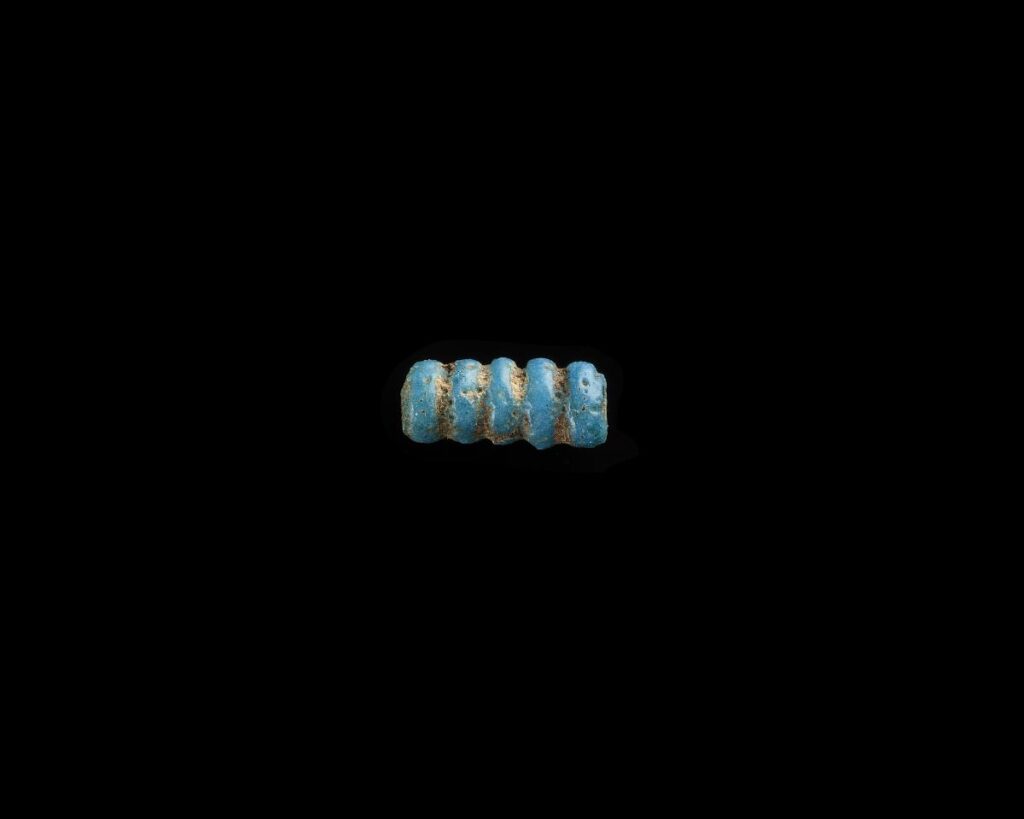
…and the immense amount of beads that showed up search Atari 2600.

a blue and gold bead on a black background
Bead, quintuple. 1550–1196 BCE. Glass, Egypt. Freer Gallery of Art, National Museum of Asian Art, Smithsonian Institution. CC0, public domain.

The computer wasn’t “seeing” the artworks as objects but as the images themselves. So not only was the background included but it was given as much consideration as the art. The tool appears to search hierarchically level parts, not the whole.

Perhaps if I had access to the GRAD-CAM to show me where the AI was seeing similarity,8 I would have had a richer experience, but either I could not find that feature or it was behind the login gate. Ultimately, the need driving the creation of the tool seems valid. But until OpenAI understands (not just consumes) Emma Stanford’s “A Field Guide to Digital Surrogates”,10 imgs.ai will be like building a chair with a staple gun: some chance of surprise success, maybe worth the experience, but you can’t make an Eames with it.


  1. Fabian Offert and Peter Bell, “IMGS.AI.: A Multimodal Search Engine for Digital Art History,” International Journal for Digital Art History, no. 9 (2023): 5.30, https://doi.org/10.11588/dahj.2023.9.91295.↩︎

  2. Offert and Bell, “IMGS.AI.” 5.30.↩︎

  3. Offert and Bell, “IMGS.AI.” 5.32.↩︎

  4. Offert and Bell, “IMGS.AI.”↩︎

  5. Plastiboo, Vermis I : Lost Dungeons and Forbidden Woods : Official Guide, ed. Michele Nitri, with Marco Cirillo Pedri, Vermis 1 (2023; 11th printing, Hollow Press, 2026), Paperback (Regular Edition).↩︎

  6. Offert and Bell, “IMGS.AI.”↩︎

  7. Offert and Bell, “IMGS.AI.” 5.32.↩︎

  8. Offert and Bell, “IMGS.AI.” 5.35.↩︎

  9. Offert and Bell, “IMGS.AI.” 5.36.↩︎

  10. Emma Stanford, “A Field Guide to Digital Surrogates,” in The Routledge Companion to Digital Humanities and Art History, 1st ed., ed. Kathryn Brown (Routledge, 2020), https://doi.org/10.4324/9780429505188-19.↩︎